
The watch beeps. They go. Now what?
A potty watch can remind your child to try the toilet.
It can't tell you whether they're learning to feel the urge or just answering a buzzer.
Knowing what prompted each visit adds a useful piece of the picture.
The watch beeps, your child goes, and you have no idea whether they would have gone on their own.
One accident and you're second-guessing everything. Back to 30 minutes? Stay at 60? Was this week actually worse?
A count of toilet visits alone leaves out an important detail: who prompted each one?
One extra tap changes everything
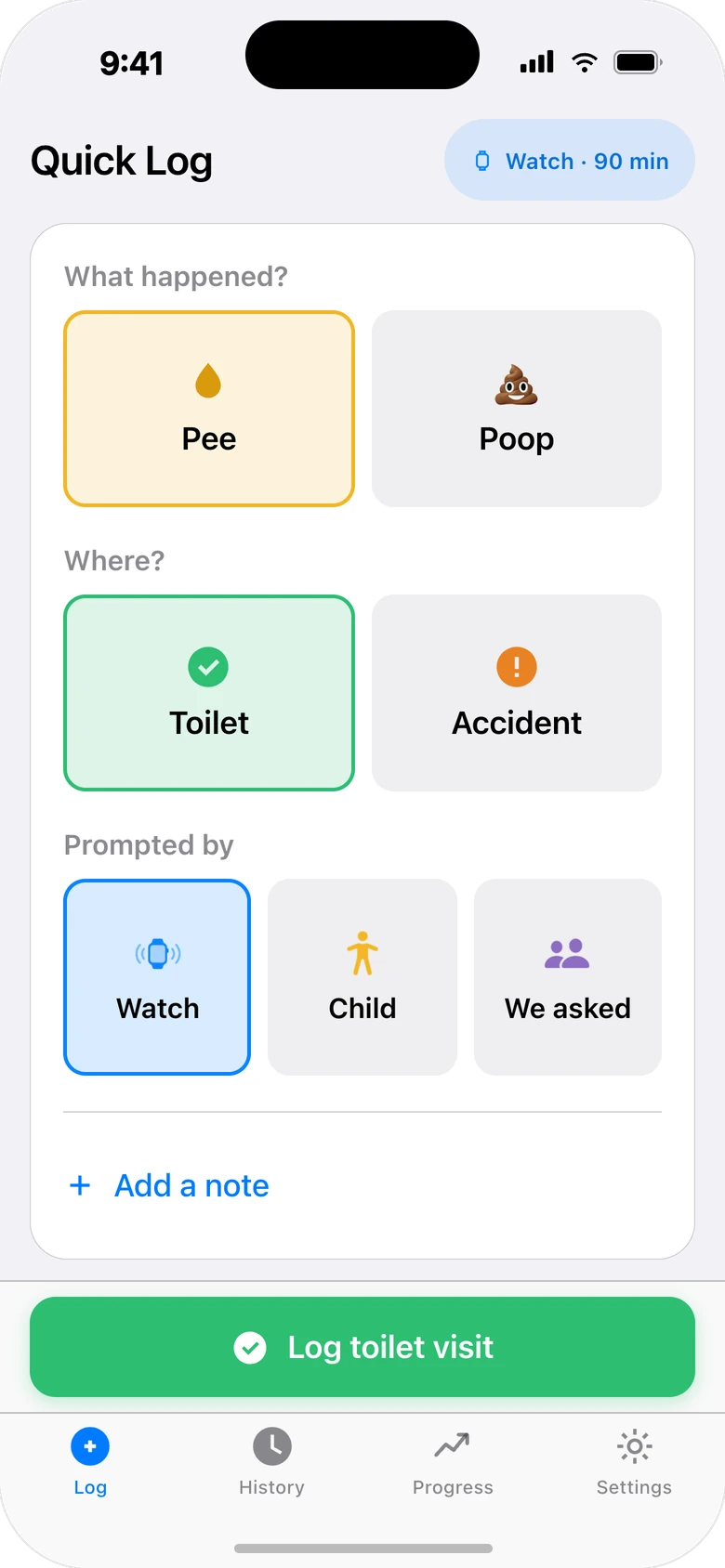
Every time you log a visit, you also record who prompted it. The app keeps three sources separate so you can compare them in your own history.
Watch
The potty watch reminder prompted the visit.
Child
Your child asked to go or went without a watch or caregiver prompt, as observed by a caregiver.
We asked
You suggested a bathroom visit and they went.
The payoff: see how many recorded visits began with your child, alongside reminders and accidents. A pattern is useful context, not a readiness test.
See what is changing beyond the reminders
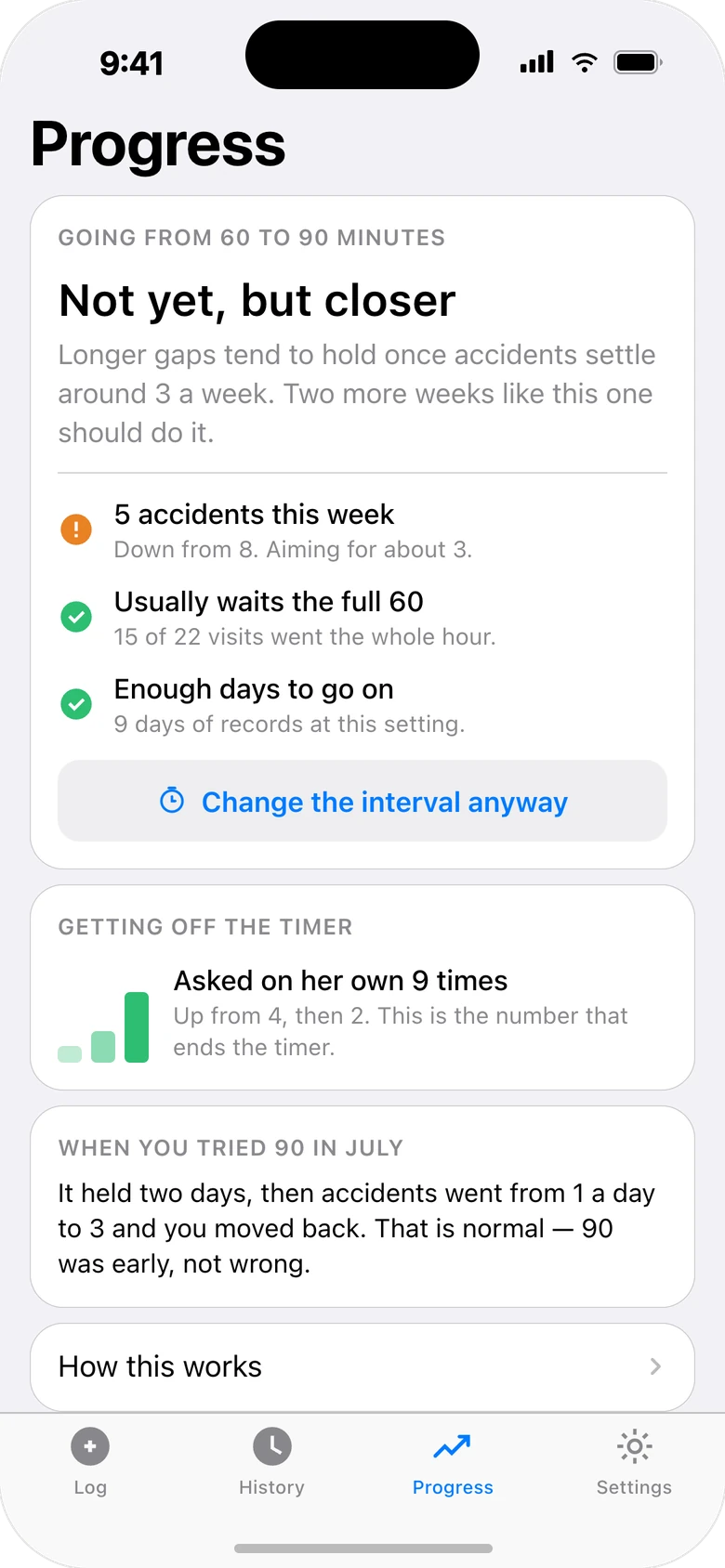
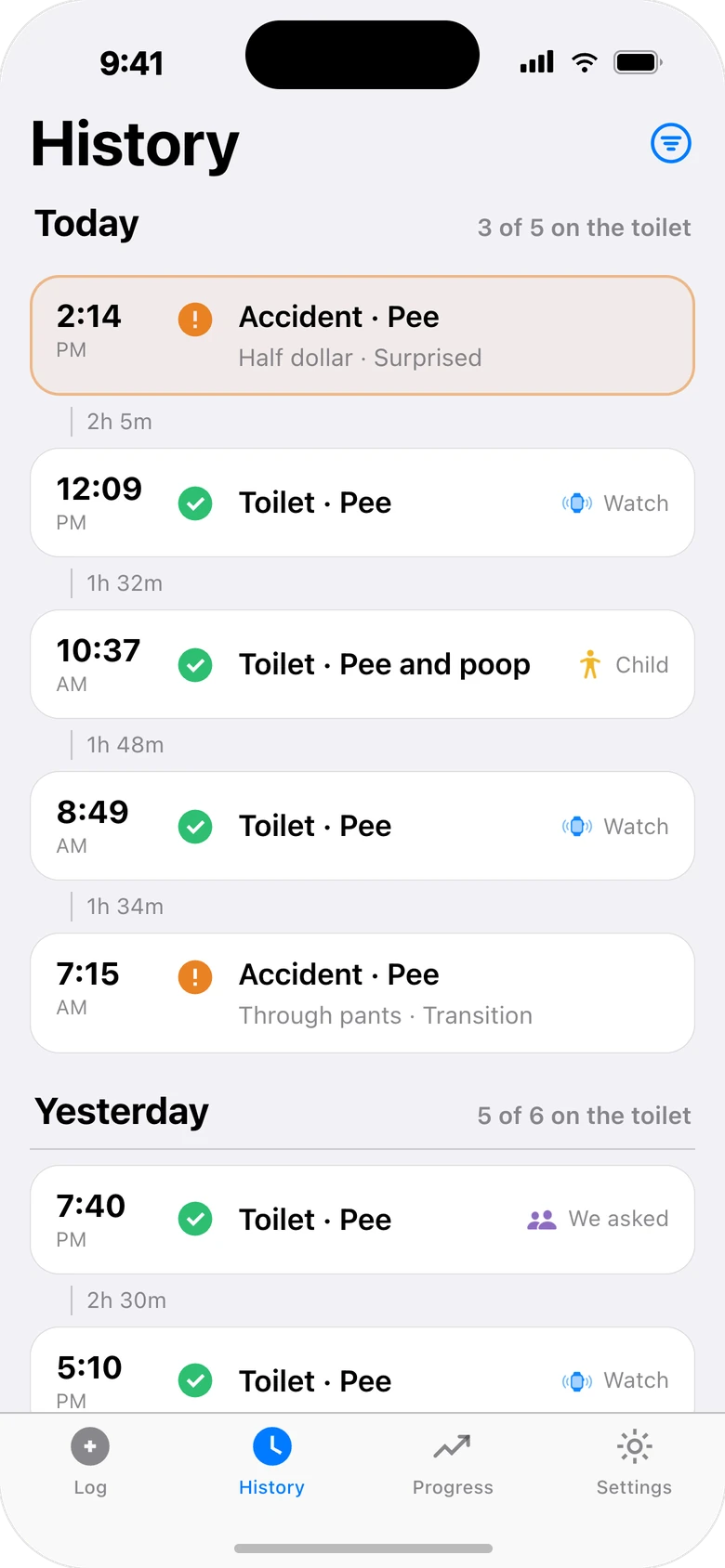
Keep visits, accidents, and the watch setting together. Review what happened across the days you logged, without relying on memory or treating one good day as a verdict.
Honest by design. The app won't declare your child "potty trained." No app can. It uses conservative sample-size and uncertainty checks before suggesting a next step, and it only knows what you log. You make the call, with real numbers in front of you.
Understand the limits. A log helps you notice patterns; it cannot measure a child’s internal signals or decide readiness. Read our guide and its sources.
Useful observations take consistent records.
Progress needs enough logged visits across multiple days at the same watch setting. A week on the calendar does not guarantee a checkpoint or improvement.
Keep the whole potty-training picture together
Built for potty watches
Set the interval your watch is on. Track whether each visit was watch-prompted, self-initiated, or parent-prompted. Works with any potty training watch or reminder routine.
Independence tracking
Review child-initiated visits alongside watch and caregiver prompts. These are caregiver observations, not an independent measurement of readiness.
Three-tap logging
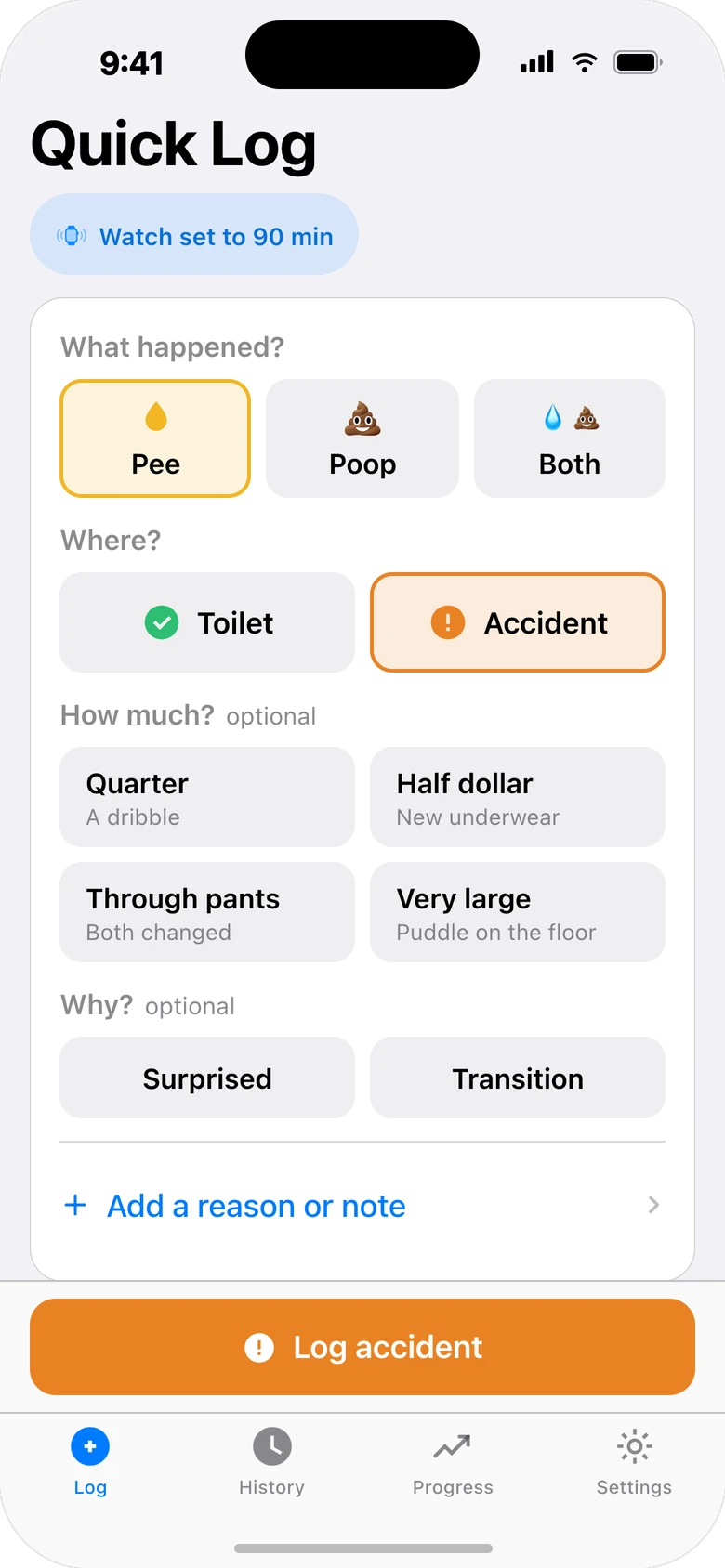
Pee, poop, or both. Toilet or accident. Who prompted it. Add accident details or a note if you want. Done before your kid has their pants back on.
Progress in plain English
For example: "5 accidents in 22 logged visits." Counts, observation coverage, and cautious checkpoints help you understand the records behind a summary.
The whole household logs
Partner, grandparents, the sitter: up to five caregiver devices on one subscription, all logging to the same records. Invite with a one-time code.
Export your records
Keep a copy of your raw records as CSV or JSON, even after your subscription ends. Creating a new PDF progress summary requires an active eligible trial or subscription.
Start with a useful answer
Making sense of life beyond reminders.
Frequently Asked Questions
Does the app connect to my child's potty watch?
No. Potty Watch Tracker works alongside your physical potty watch or reminder routine, but it doesn't pair with, control, or read data from the watch. It isn't a phone countdown timer, an Apple Watch app, or a replacement for the watch. You tell the app what interval the watch is set to, and for each visit, whether the watch prompted it.
How do I know when my child can stop using the potty watch?
There isn't a universal stopping date or percentage of child-initiated visits. Your records can show what prompted visits and what else happened, but cannot decide readiness. Our parent guide explains what to observe and what those observations cannot tell you. Read the guide →
What's the difference between watch timer, self-initiated, and parent-prompted?
Watch timer means a potty watch reminder prompted the attempt. Self-initiated means your child asked to go independently. Parent-prompted means you suggested they try. This helps track your child's growing independence.
Does Progress tell me when my child is potty trained?
No. Progress uses the records you enter to show accident counts, observed days, comparisons with earlier weeks, and cautious next checkpoints for considering a longer watch interval. It checks for enough records and enough certainty before suggesting anything. It doesn't decide that a child is potty trained or ready, and it can't promise a date for stopping the watch. Missing or inaccurate entries change what it shows.
What can I log?
Pee, poop, or both; a toilet visit or an accident; details about the accident if you want them; an optional note; and the interval your potty watch is currently set to. History groups everything by day so you can review, filter, edit, or delete entries.
How does family sharing work?
You can use the app on your own, or a household can include up to five active caregiver devices. Invite someone with a one-time six-digit code, which expires after 30 minutes or as soon as one person joins. Everyone sees the same records once their device is online; updates need a connection and aren't instantaneous.
How much does it cost?
The planned public launch price is US $3.99 a month after a 7-day free trial for eligible users. The app is currently in beta. One subscription covers your whole household, up to five caregiver devices. Apple handles billing, and you can cancel anytime in your App Store settings.
Can I export my records?
Raw CSV and JSON exports remain available after your subscription ends, along with reading history and deleting your account. Creating a new derived PDF progress summary requires an active eligible trial or subscription. A summary gives you an easy-to-read overview of the records you logged.
Is my data private and secure?
Caregivers you invite can access shared records. We do not sell your records or use them for advertising. You can export your raw records or delete your account in Settings. Read the Privacy Policy →
Does the app provide medical advice?
No. Potty Watch Tracker is a bathroom log and companion to your physical potty watch. It helps parents and caregivers keep track of visits and see patterns in their own records.
Who is the app for?
Adults. It's an organizational and tracking tool for parents and caregivers, and it doesn't create accounts for children. In-app feedback is for product ideas and app behavior; for support, privacy requests, or account questions, email us instead.
See more than how many times they went.
Keep watch reminders, caregiver prompts, and child-initiated visits in one clear history.
App availabilityPlanned launch: $3.99/month after a 7-day trial. Cancel anytime.